Coding on an iPhone Duo
You can write, run and commit real code on an iPhone Duo with Deskless, a code editor, Git client and AI coding agent for iPhone, iPad and Android. Deskless was built for the Duo from day one: fold it and you have one editor sized for the cover screen; unfold it and a second pane opens on the other half of the display. That second pane is free, and Deskless Pro lets it show another file or Project Tools instead of a second view of the file you are editing.
Deskless needs iOS 26.0 or later.
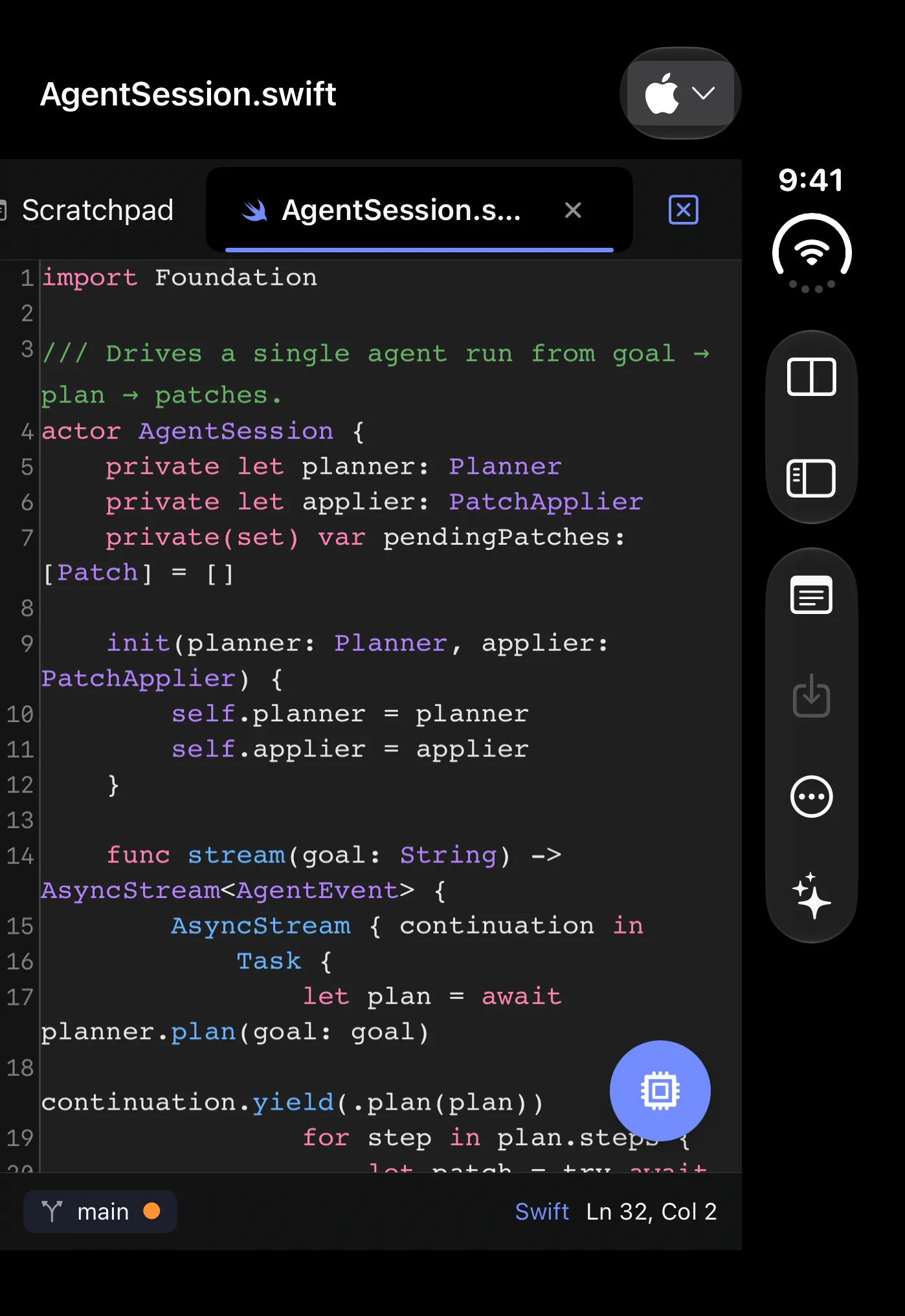 Folded: one editor on the cover screen. Captured from Deskless 2.1.
What happens when you unfold
When the Duo opens, Deskless reads which way the hinge runs and splits the workspace along it:
- Book posture (hinge running top to bottom): the second pane sits on the right half.
- Tabletop posture (hinge running side to side): the second pane sits on the lower half.
Your typing stays in the main editor, so unfolding mid-thought doesn’t move the caret. Fold the Duo again and Deskless returns to one editor. If you set up a layout yourself, Deskless keeps it instead of replacing it when you fold or unfold.
On the free plan, the second pane shows the file you are editing, so you can keep one part of a long file in view while you work on another. With Pro, each posture can show either a Second Editor with its own file or Project Tools, where you run and test the project.
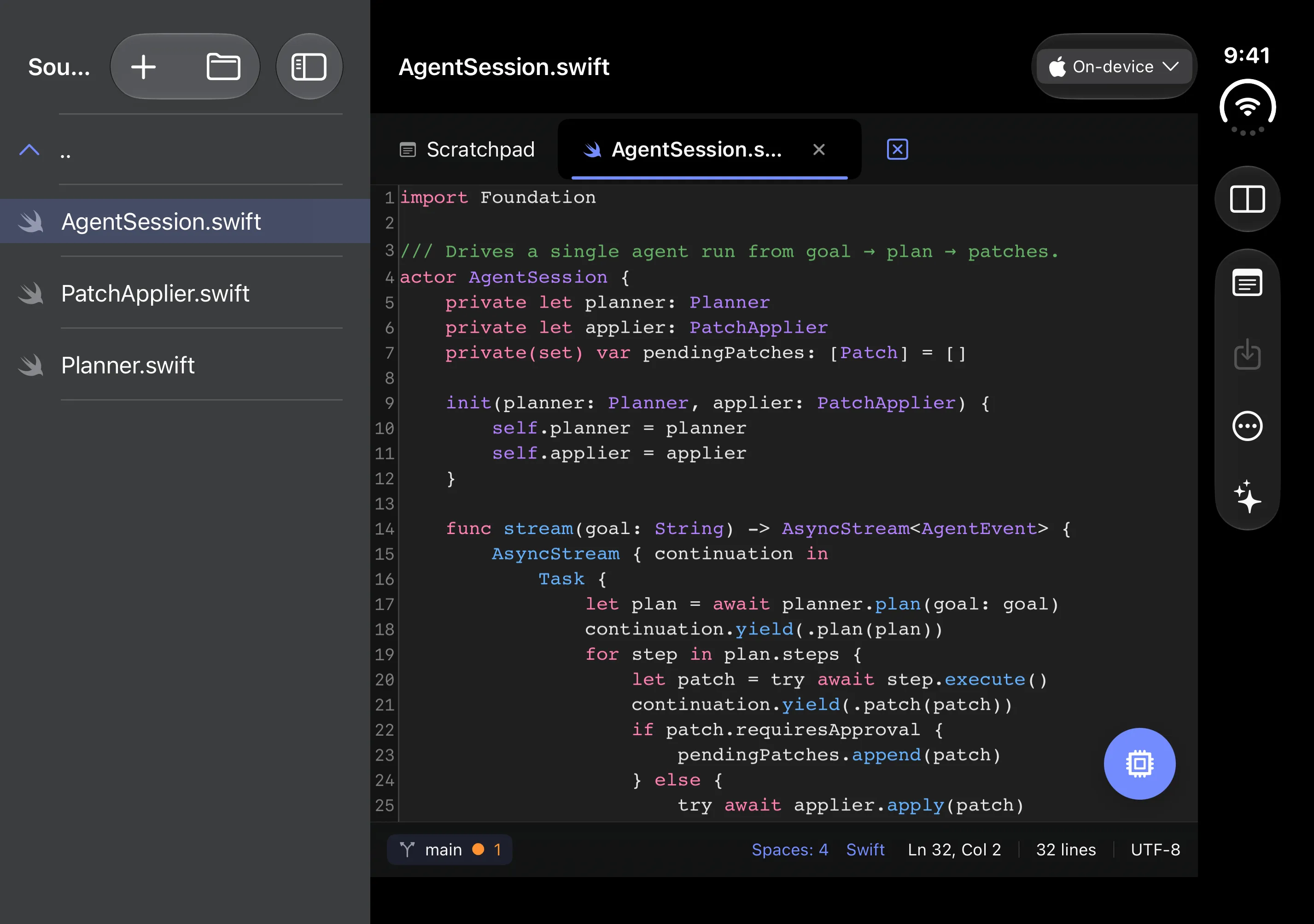 Unfolded, with the file browser beside the editor. Captured from Deskless 2.1, before the automatic second pane arrived in 3.0.1.
Set it up
- Install Deskless from the App Store.
- Bring in a project: create one, open a folder already on the Duo, or clone a repository over HTTPS or SSH. Cloning is free.
- Open Settings → Appearance → Foldable Devices. Use Both Halves When Unfolded is on by default; turn it off if you want one editor across the whole inner display.
- With Pro, choose what the second pane shows under Book Posture and Tabletop Posture: Project Tools or Second Editor. Project Tools in both postures gives you code on the left and output on the right when the Duo is open like a book, and code above with output below when it stands like a laptop.
You can also arrange panes yourself at any time with Pro: open Workspace layout and choose Split Editor or Editor + Tools. Close Second Pane returns to one editor. With a hardware keyboard, ⌘ \ splits the editors. Select a pane before opening a file in it. Two views of the same file share one draft, so saving either saves the file. More detail is in Editor basics.
Run and test on the Duo itself
Project Tools runs supported JavaScript, TypeScript and Python projects, and SQL scripts with SQLite, on the device. It needs no computer and no account, and it is free. Choose Workspace layout → Project Tools, then Configuration, pick a runtime and an entry file, and save. Run and Test use your current files, unsaved edits included. The Project Tools guide covers configuration, tests and installing npm packages and Python wheels. Installs download from npm and PyPI; after that, runs and tests work offline.
Free users open Project Tools as its own screen. Showing it beside the editor, so output sits on one half and code on the other, is part of Pro.
Commit and push
Everyday Git is free: status, stage, commit, resolve conflicts, pull, push and diffs. Branches, rebase, history, blame, stashes, and pull and merge request review on GitHub, GitLab and Forgejo or Gitea need Pro. See the Git overview.
What it costs
- Free: the editor with highlighting for 57 languages, the automatic second pane when you unfold (showing your current file), Project Tools as its own screen, everyday Git, on-device AI quick actions with Apple Intelligence on supported devices, and hardware-keyboard support.
- Deskless Pro ($3.99 a month, $24.99 a year or $69.99 once, US prices): a different file or Project Tools in the second pane, Split Editor, Editor + Tools, multiple file tabs, Find and Replace, Markdown and HTML preview, advanced Git and pull request review, and the SSH terminal.
- Agent Mode and cloud AI need Pro and your own API key from a provider such as OpenAI, Anthropic or Google. The provider bills that usage separately.
Where it stops
Deskless runs supported projects in a bounded on-device runtime. It is not a general Node.js environment or a system shell, and it doesn’t build native apps, so you can’t compile your own Duo app on the Duo with it. If your work needs your full toolchain, a remote session to your Mac or a server is the better choice; Deskless Pro includes an SSH terminal, and dedicated SSH and remote-desktop apps go further than it does.
Deskless doesn’t yet promise that hardware-keyboard typing carries on uninterrupted through every fold and unfold. Editing, committing and running supported projects work offline; cloning, pushing, pulling, package installs and cloud AI need a connection.